HTTP vs SOCKS5 Proxy: Protocol Differences
Last updated: 2026-02-14
Quick Definition
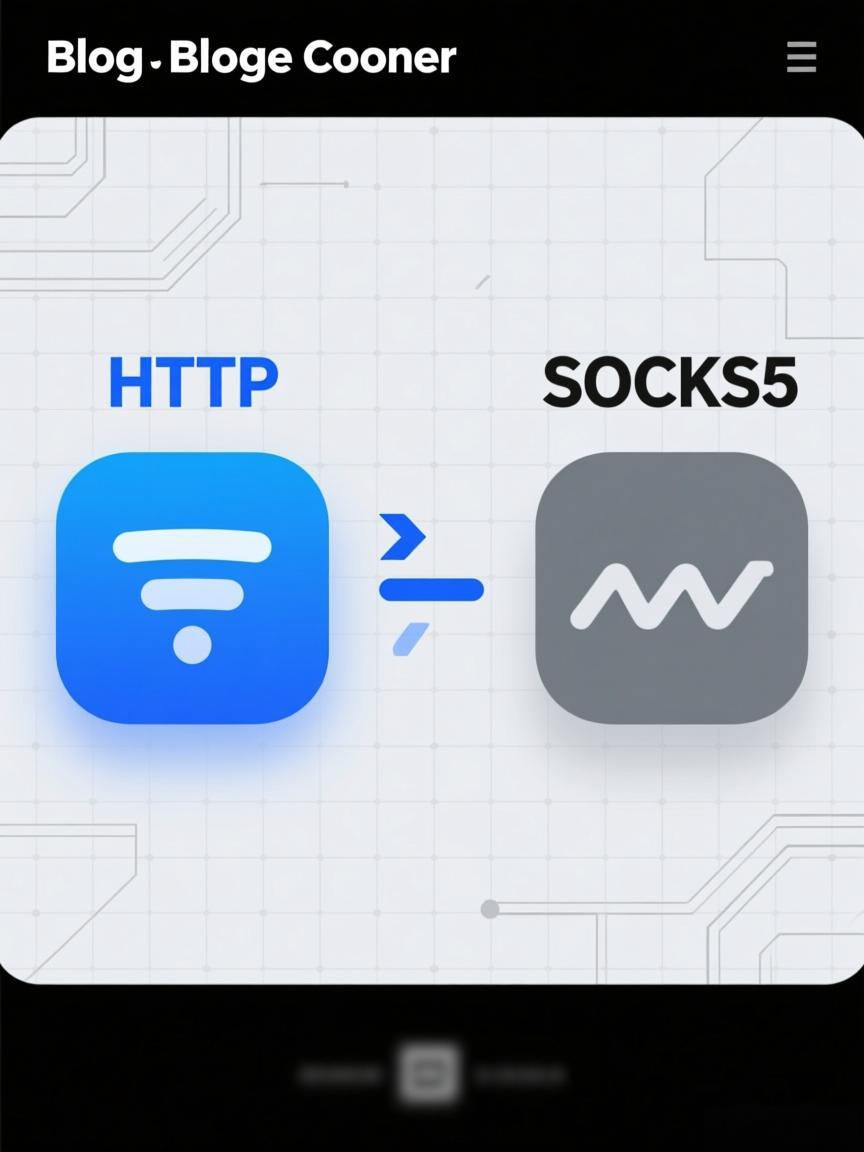
HTTP proxies and SOCKS5 proxies are two different proxy protocols with distinct capabilities. HTTP proxies understand and can modify HTTP/HTTPS traffic, offering features like caching, header manipulation, and content filtering. SOCKS5 proxies operate at a lower network level (Layer 5), forwarding any TCP/UDP traffic without inspecting content—making them protocol-agnostic and suitable for non-HTTP applications like gaming, torrents, or custom protocols.
How Each Protocol Works
HTTP Proxy Request Flow:
┌─────────────────────────────────────────────────────────────────┐
│ Client                                                           │
│ └── Sends HTTP request to proxy                                 │
│     GET http://target.com/page HTTP/1.1                         │
│     Host: target.com                                            │
│                                                                 │
│ HTTP Proxy                                                       │
│ ├── Parses HTTP request                                         │
│ ├── Can modify headers, cache response                          │
│ ├── Forwards request to target.com                              │
│ └── Returns response to client                                  │
│                                                                 │
│ For HTTPS (CONNECT method):                                      │
│ Client → CONNECT target.com:443 HTTP/1.1                        │
│ Proxy  → Establishes TCP tunnel (cannot inspect encrypted data) │
│ Client → TLS handshake through tunnel → Target                  │
└─────────────────────────────────────────────────────────────────┘

SOCKS5 Proxy Request Flow:
┌─────────────────────────────────────────────────────────────────┐
│ Client                                                           │
│ └── SOCKS5 handshake with proxy                                 │
│     1. Greeting: Version (5), Auth methods supported            │
│     2. Auth: Username/password or none                          │
│     3. Request: CONNECT to target.com:443 (TCP)                 │
│                 or UDP ASSOCIATE for UDP traffic                │
│                                                                 │
│ SOCKS5 Proxy                                                     │
│ ├── Does NOT parse application data                             │
│ ├── Creates TCP/UDP connection to target                        │
│ ├── Relays raw bytes bidirectionally                            │
│ └── Protocol-agnostic: HTTP, FTP, SMTP, games, anything         │
│                                                                 │
│ Example - TCP Connection:                                        │
│ Client → [SOCKS5 Proxy] → TCP tunnel → Target:443               │
│        (raw bytes flow through, proxy doesn't inspect)          │
└─────────────────────────────────────────────────────────────────┘
Protocol Comparison
| Feature | HTTP Proxy | SOCKS5 Proxy |
|---|---|---|
| OSI Layer | Layer 7 (Application) | Layer 5 (Session) |
| Protocol Support | HTTP, HTTPS only | Any TCP/UDP protocol |
| Traffic Inspection | Can read/modify HTTP headers | Cannot inspect content (raw relay) |
| UDP Support | No | Yes (UDP ASSOCIATE) |
| Authentication | Basic, Digest, NTLM | Username/Password, GSSAPI |
| Caching | Supported | Not applicable |
| Header Modification | Can add X-Forwarded-For, etc. | Cannot modify (doesn't see headers) |
| Performance | Slight overhead for parsing | Lower overhead (raw relay) |
| Software Support | Universal (all browsers, apps) | Requires SOCKS5 support in app |
Technical Specifications
| Specification | HTTP Proxy | SOCKS5 Proxy |
|---|---|---|
| RFC Standard | RFC 7230 (HTTP/1.1), RFC 7231 | RFC 1928 (SOCKS5), RFC 1929 (Auth) |
| Default Port | 8080, 3128, 80 | 1080 |
| Connection Method | GET/POST for HTTP, CONNECT for HTTPS | Binary handshake protocol |
| IPv6 Support | Via Host header | Native (ATYP 0x04) |
| DNS Resolution | Client or proxy (depends on config) | Proxy-side (ATYP 0x03 domain) |
| Connection Reuse | HTTP Keep-Alive supported | Tunnel persists until closed |
Connection Examples
HTTP Proxy - Plain HTTP Request:
─────────────────────────────────────────────────────────────────
GET http://example.com/api/data HTTP/1.1
Host: example.com
Proxy-Authorization: Basic dXNlcjpwYXNz

# Proxy forwards to example.com, can see/modify headers

─────────────────────────────────────────────────────────────────

HTTP Proxy - HTTPS via CONNECT:
─────────────────────────────────────────────────────────────────
CONNECT example.com:443 HTTP/1.1
Host: example.com:443
Proxy-Authorization: Basic dXNlcjpwYXNz

HTTP/1.1 200 Connection Established

# Now TLS handshake occurs through tunnel
# Proxy cannot see encrypted content

─────────────────────────────────────────────────────────────────

SOCKS5 Proxy - Handshake Sequence:
─────────────────────────────────────────────────────────────────
1. Client → Proxy: 0x05 0x01 0x02
   (Version 5, 1 auth method, method 0x02 = user/pass)

2. Proxy → Client: 0x05 0x02
   (Version 5, selected method 0x02)

3. Client → Proxy: 0x01 0x04 user 0x04 pass
   (Auth version, username length, username, pass length, pass)

4. Proxy → Client: 0x01 0x00
   (Auth version, success)

5. Client → Proxy: 0x05 0x01 0x00 0x03 0x0B example.com 0x01 0xBB
   (Version 5, CONNECT, reserved, domain type, length, domain, port 443)

6. Proxy → Client: 0x05 0x00 0x00 0x01 [bound addr] [bound port]
   (Version 5, success, reserved, IPv4, address, port)

7. Tunnel established - client sends TLS/HTTP data directly

─────────────────────────────────────────────────────────────────

Code Example - Python Requests with Both:
─────────────────────────────────────────────────────────────────
# HTTP Proxy
import requests

http_proxy = {
    "http": "http://user:[email protected]:8080",
    "https": "http://user:[email protected]:8080"
}
response = requests.get("https://api.example.com", proxies=http_proxy)

# SOCKS5 Proxy (requires requests[socks])
socks_proxy = {
    "http": "socks5://user:[email protected]:1080",
    "https": "socks5://user:[email protected]:1080"
}
response = requests.get("https://api.example.com", proxies=socks_proxy)
Common Use Cases
| Use Case | Recommended Protocol | Reason |
|---|---|---|
| Web scraping | HTTP (usually) | Web traffic is HTTP/HTTPS; widely supported |
| Browser automation | HTTP | All browsers support HTTP proxies natively |
| Gaming / Voice chat | SOCKS5 | Requires UDP support for real-time data |
| Torrenting | SOCKS5 | BitTorrent uses non-HTTP protocols |
| Email (SMTP/IMAP) | SOCKS5 | Non-HTTP protocols need SOCKS |
| API requests | HTTP | REST APIs use HTTP/HTTPS |
| SSH tunneling | SOCKS5 | SSH is not HTTP-based |
| FTP transfers | SOCKS5 | FTP uses separate control/data connections |
Security Considerations
| Consideration | HTTP Proxy | SOCKS5 Proxy |
|---|---|---|
| Traffic visibility | Can log/inspect HTTP requests | Sees only connection metadata |
| Header leakage | May add identifying headers (X-Forwarded-For) | No header modification possible |
| DNS privacy | Client may resolve DNS locally | Can route DNS through proxy (domain type) |
| Authentication security | Credentials sent per-request (Basic) | Auth once per connection |
| MITM potential | Proxy sees plain HTTP; HTTPS encrypted | All data is opaque to proxy |
Test your proxy configuration with the Proxy Tester to verify both HTTP and SOCKS5 connectivity. Check what information is visible to target servers using the HTTP Headers Checker.
FAQ
Which protocol is faster: HTTP or SOCKS5?
SOCKS5 has marginally less overhead since it doesn't parse application-layer data—it just relays bytes. However, the difference is typically negligible (single-digit milliseconds). Real-world performance depends more on the proxy server's network quality, geographic distance, and load than on protocol choice.
Can SOCKS5 proxies handle HTTPS traffic?
Yes. SOCKS5 creates a TCP tunnel to the destination, and your TLS/HTTPS traffic flows through this tunnel unchanged. The proxy sees only that you're connecting to an IP:port—it cannot inspect the encrypted content. This is similar to HTTP CONNECT tunneling but works for any protocol.
Why do some applications only support HTTP proxies?
HTTP proxy support is simpler to implement since HTTP is already the application's native protocol. Many applications assume web traffic and include HTTP proxy support but omit SOCKS5 to reduce complexity. Libraries like curl, requests, and browser engines universally support HTTP proxies, making it the common denominator.
Can I convert HTTP proxy to SOCKS5 or vice versa?
You can use proxy gateway software (like Privoxy, Dante, or 3proxy) to translate between protocols. However, this adds latency and complexity. If you need SOCKS5 for UDP support, an HTTP-to-SOCKS converter won't help—UDP isn't available in HTTP proxying. Choose a provider offering native support for your required protocol.
Does SOCKS5 hide more information than HTTP proxy?
SOCKS5 inherently sees less: it only knows the destination IP/port you connect to, not the application-layer details. HTTP proxies can see URLs, headers, and cookies for plain HTTP (though HTTPS prevents content inspection). However, both protocols reveal your use of a proxy if the provider adds identifying information or if the IP is recognized as a proxy.
Which protocol should I choose for web scraping?
For pure web scraping (HTTP/HTTPS requests), either works. HTTP proxies are more universally supported in scraping libraries and offer potential benefits like built-in caching. Use SOCKS5 if your scraping involves WebSocket connections, needs UDP for some reason, or if you want to route DNS queries through the proxy to prevent leaks.
Related Tools
- Proxy Tester - Test HTTP and SOCKS5 proxy connectivity
- HTTP Headers Checker - See what headers proxies add or modify
- IP Checker - Verify your proxied IP address
Ready to start scraping?
Get access to millions of residential proxies across 195+ countries. Instant activation.
Get Started Now