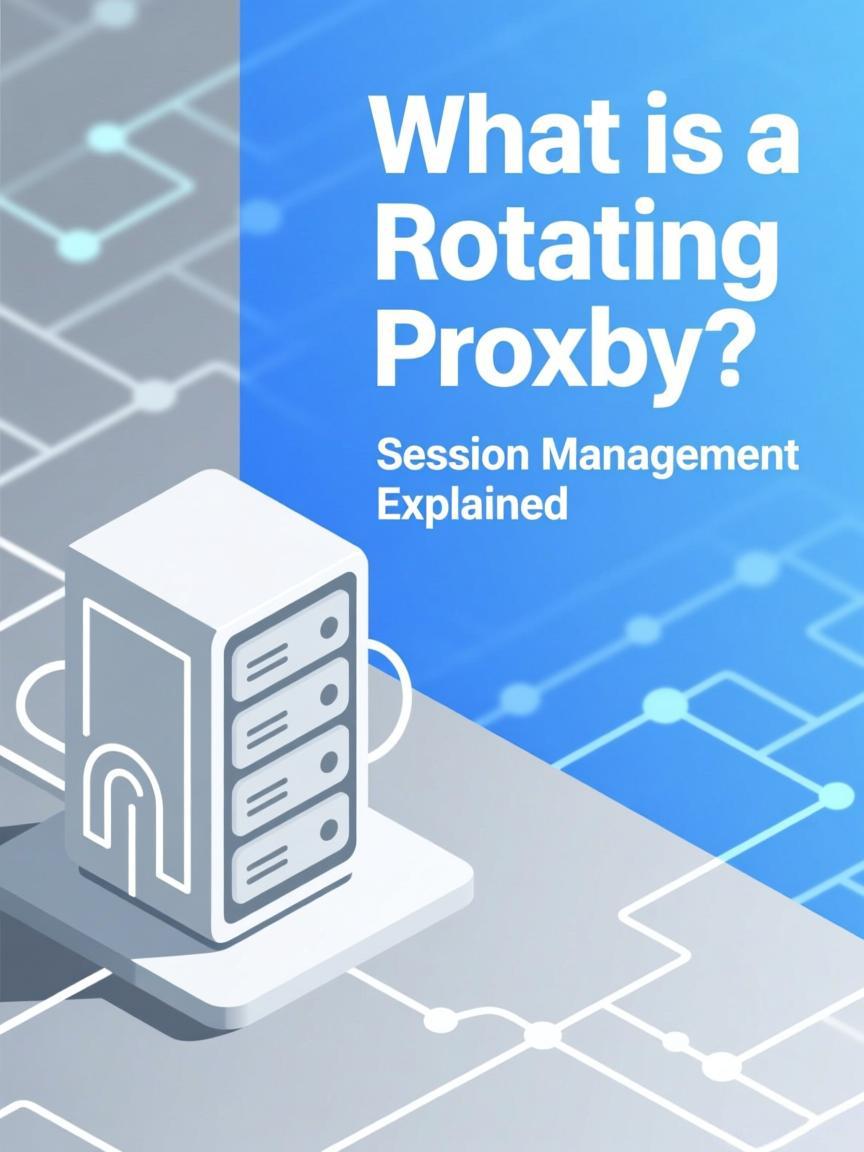
What is a Rotating Proxy? Session Management Explained
Last updated: 2026-02-01
Quick Definition
A rotating proxy automatically assigns a different IP address from a pool for each connection request or at configured intervals. Instead of using one static IP, your traffic is distributed across thousands or millions of IPs, reducing the request load on any single address and making traffic patterns appear to come from many different users.
How Rotating Proxies Work
Rotating proxies operate through a gateway server that manages IP assignment from a backend pool:
Rotating Proxy Architecture:
┌────────────┐     ┌──────────────────────────────────────────────┐
│            │     │           Proxy Gateway                       │
│   Client   │────▶│  ┌────────────────────────────────────────┐  │
│            │     │  │         Load Balancer                   │  │
└────────────┘     │  │    (Assigns IP per request/session)    │  │
                   │  └────────────────────────────────────────┘  │
                   │                     │                         │
                   │    ┌────────────────┼────────────────┐       │
                   │    ▼                ▼                ▼       │
                   │ ┌──────┐        ┌──────┐        ┌──────┐    │
                   │ │IP #1 │        │IP #2 │   ...  │IP #N │    │
                   │ │Pool  │        │Pool  │        │Pool  │    │
                   │ └──────┘        └──────┘        └──────┘    │
                   └──────────────────────────────────────────────┘

Request Flow Example (Per-Request Rotation):
─────────────────────────────────────────────────────────────────
Request 1 → Gateway → IP: 98.45.123.67  → Target Site
Request 2 → Gateway → IP: 176.23.89.201 → Target Site
Request 3 → Gateway → IP: 203.112.45.89 → Target Site
Request 4 → Gateway → IP: 45.67.234.12  → Target Site
         (Each request gets a different IP automatically)
Key components:
- Gateway Endpoint: Single entry point you configure in your application
- IP Pool: Backend collection of residential, datacenter, or mobile IPs
- Session Manager: Controls rotation frequency and sticky session logic
- Geographic Router: Filters pool by country, state, or city if specified
Rotation Strategies
| Strategy | Rotation Trigger | Best For | Session Control |
|---|---|---|---|
| Per-Request | Every new HTTP request | High-volume scraping | None (new IP each time) |
| Timed Rotation | Every N minutes | Moderate scraping, browsing | Session lasts until timer |
| Sticky Session | After session timeout | Multi-page flows, logins | Same IP for duration |
| On-Demand | API call triggers rotation | Custom logic requirements | Full control |
| Error-Based | After blocked response | Adaptive scraping | Rotates on failures |
Session Control Methods
Most rotating proxy providers offer session control through connection parameters:
Per-Request Rotation (default):
proxy: gateway.provider.com:8000
user: username
pass: password
Result: New IP for every request

Sticky Session via Port:
proxy: gateway.provider.com:8001  ← Port 8001 = 10min session
proxy: gateway.provider.com:8002  ← Port 8002 = 30min session

Sticky Session via Username Parameter:
user: username-session-abc123
pass: password
Result: Same IP for all requests with session ID "abc123"

Geographic Targeting:
user: username-country-us-state-california
pass: password
Result: IPs only from California, USA

Combined Parameters:
user: username-country-uk-session-xyz789
pass: password
Result: UK IP, sticky for session "xyz789"
Key Technical Parameters
| Parameter | Typical Range | Impact |
|---|---|---|
| Pool Size | 10K - 100M+ IPs | Larger pools = less IP reuse |
| Rotation Speed | Instant - configurable | Per-request is fastest |
| Sticky Session Duration | 1 - 60 minutes | Longer = more continuity |
| Concurrent Connections | 100 - Unlimited | Parallel request capacity |
| Geographic Coverage | 50 - 195 countries | Targeting flexibility |
| Success Rate | 95% - 99%+ | Valid responses / total requests |
| IP Freshness | Varies by provider | Recently rotated IPs may be cleaner |
Rotating Proxy Types
| Type | Pool Source | Best Use Case | Cost Model |
|---|---|---|---|
| Rotating Residential | Real ISP user IPs | Protected sites, web scraping | Per GB |
| Rotating Datacenter | Cloud/hosting IPs | High-volume, less protected sites | Per IP or unlimited |
| Rotating Mobile | 4G/5G carrier IPs | Highest trust requirements | Per GB (premium) |
| Mixed/Hybrid Pool | Multiple sources | Flexible requirements | Varies |
Common Use Cases
| Use Case | Rotation Strategy | Why Rotation Helps |
|---|---|---|
| Large-scale scraping | Per-request | Distributes load, prevents blocks |
| SEO rank checking | Per-request | Different IP per search query |
| Price monitoring | Per-request or timed | Avoids rate limiting |
| Ad verification | Per-request + geo-targeting | View ads from many locations |
| Multi-step forms | Sticky session (10-30min) | Maintain session across pages |
| Login + scrape | Sticky session | Keep auth cookies valid |
Verify your proxy's rotation behavior using the IP Checker tool across multiple requests. Test connection performance with the Proxy Tester.
Rotating vs Static: When to Choose
- Choose Rotating when: Making many requests, scraping at scale, don't need consistent identity, want to distribute load across IPs
- Choose Static when: Managing accounts, need same IP across sessions, completing checkouts, maintaining logged-in state long-term
FAQ
What is the difference between rotating proxy and backconnect proxy?
They refer to the same concept. "Backconnect" describes the architecture where you connect to a single gateway that routes to backend IPs. "Rotating" describes the behavior of IP assignment. Both terms are used interchangeably in the industry.
How many IPs do I need in a rotating pool for scraping?
It depends on your request volume and target site sensitivity. A general guideline: for aggressive scraping (1000+ requests/minute), you want at least 10,000 IPs. For light scraping, 1,000-5,000 may suffice. More IPs = less chance of any single IP being overused.
Can I use the same rotating proxy for scraping and account management?
For scraping, use per-request rotation. For account management, use sticky sessions with different session IDs per account. The same rotating proxy service can support both—just configure the session parameters appropriately.
How fast does IP rotation happen?
With per-request rotation, each new connection gets a new IP instantly—there's no delay. The gateway assigns from the pool on each connection. Sticky sessions maintain the same IP until the configured timeout or session ID changes.
Do all my requests go through the same gateway IP?
You connect to the gateway server's IP, but your requests exit through different backend IPs. The target website sees the rotating backend IPs, not the gateway. The gateway IP is just the entry point for authentication and routing.
What happens if an IP in the rotation gets blocked?
The blocked IP returns to the pool. On your next request, you'll get a different IP. With large pools, the probability of getting the same blocked IP again is very low. Many providers also monitor and remove frequently blocked IPs from active rotation.
Related Tools
- IP Checker - Verify IP changes across requests
- Proxy Tester - Test rotation speed and reliability
- HTTP Headers Checker - Confirm proxy header configuration
Ready to start scraping?
Get access to millions of residential proxies across 195+ countries. Instant activation.
Get Started Now